How Google Ads Works: A Step-by-Step Guide
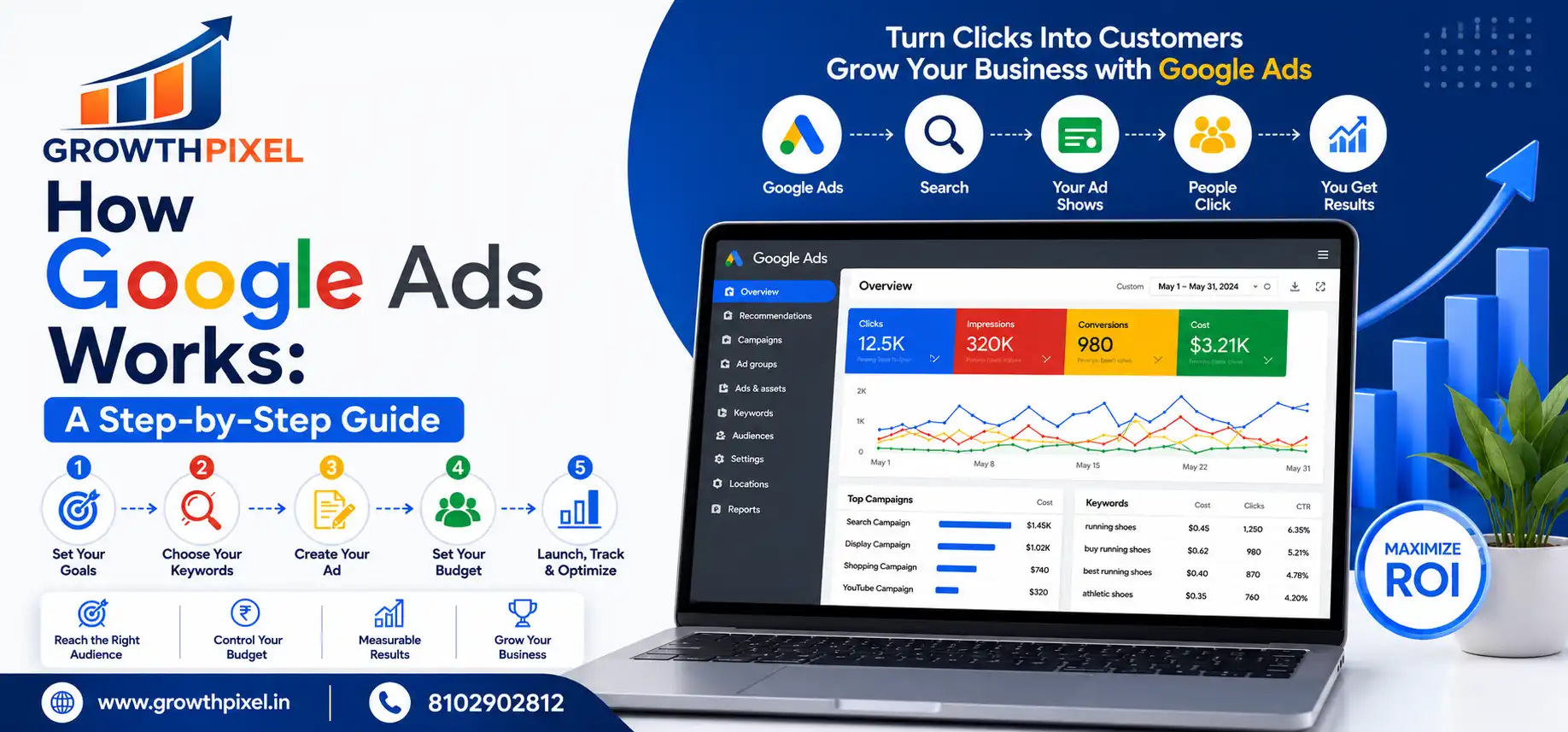
A real live auction occurs for every search done on Google in milliseconds. There's a fierce competition for businesses to position their ad at the top and the largest spender isn't always the winner. It is this which makes Google ads powerful yet so misunderstood.
If you're a business owner looking to generate leads, or a marketer managing campaigns, this guide explains exactly how Google Ads works — simple and clear.
Quick Answer
Google Ads is a live auction system. Google will instantly analyze all qualified advertisers when someone searches for a keyword. Your ad is determined to show and placed by your Ad Rank, which is a combination of your bid and Quality Score. You only pay once someone has clicked.
Key Takeaways
Pay-Per-Click (PPC) model — only paying for clicks, not impressions
Ad Rank = Bid x Quality Score + auction time signals.
Quality Score (1-10) is based on ad relevance, expected click through rate, and landing page experience.
Use keywords, place, device, language, and time of day to target audiences.
Six campaigns to choose from: Search, Display, Shopping, Video, Performance Max, App.
With a proper setup, a budget of ₹500/day can make a significant impact.
Conversion tracking is a must have — otherwise, there is no way to measure ROI.
Why This Matters
There are more than 8.5 billion searches conducted daily on Google. A lot of these searches are from people who are actively seeking a product or service. Google Ads puts your business in front of your potential customers at the exact time they're looking for it!
With social media ads, you're interrupting people during the scroll rather than capturing demand that already exists, like with Google Ads. Users are already searching — you're just ensuring that they will be the first to find you. The reason is that paid search always proves to be better than other ad channels for direct lead generation and sales.
🔍 Understanding how the Google Ads Auction Works
What Is Ad Rank?
Google instantly conducts an auction on every search. Google rates all competing advertisers and determines which ads to display — and what order to display them. This is determined based on your Ad Rank – which is based on:
The Highest bid — the highest amount of money you will bid for each click.
Quality Score — Google's metric on a 1–10 scale for your keyword, ad and landing page.
For most people, the most important factor is whether any sitelinks or callouts enhance the user experience, so this is what is most important to them.
Auction-Time Context — Device/Location/Time and type of search
So, what is Quality Score?
Quality Score is an indicator of how relevant your whole ad experience is, as determined by Google. You are judged on a 1 to 10 scale and it's a real factor in your cost per click and ad position.
When you decide which ads to promote to users, you'll want to take into account the factors listed above.When you're choosing ads to show users, you'll want to consider the following factors:
If your Quality Score is in the range of 7-10, you can gain a higher ranking than the high spending competitor and pay less per click. This is the one thing most businesses fail to leverage on.
🗂️ Google Ads Campaign Types
Clicky.com is an excellent tool that enables you to view and analyze your website's traffic in real time.Clicky.com is a great website analytics platform that allows you to track and analyze your site's traffic in real-time.
Most businesses will find Search campaigns to be the most effective way to start, since that's where users are already actively searching for what you have to offer.
🚀 Step-by-Step: Creating a Google Ads Campaign.
First, you need to establish your goal.First, you have to define your goal.
Pick the leads, sales, traffic or calls that are desired. You'll know your campaign type and bidding strategy right from the beginning because your goal dictates both.
In Step 2, select the type of campaign you want to run.In Step 2, select your campaign type.
Choose Search, Display, Shopping, Video, or Performance Max, depending on your goal, NOT on what is comfortable for you.
The third step is to determine your daily budget.
Decide your daily spend limit. Google allows you to use your monthly limit, but can fluctuate depending on the day. Beware of overdoing it and adjust according to the outcome.
Step 4 — Research Keywords
Find out what your audience is searching for using Google Keyword Planner. Identify keywords that can be organized into a tightly-defined, single-theme ad group for added relevance.
In this step, you create your ad.Step 5 — Create Your Ad.
Generate Responsive Search Ads—up to 15 headlines and 4 descriptions. Google automatically tests combinations and displays the most successful one.
Step 6 — Set Targeting
Target by location, device, language and time of day. Accurate targeting means that no money is wasted from the get-go.
In Step 7, add the Ad Extensions.In Step 7, enter the Ad Extensions.
Include sitelinks, callouts, and call extensions. These give users more reasons to click — without increasing your cost per click.
In Step 8, select a Bidding Strategy.In Step 8, select a Bidding Strategy.
Start with Manual CPC. Switch to Target CPA or Target ROAS for AI-powered optimization, once you get 30+ monthly conversions.
Step 9 — Install Conversion Tracking
Add the Google Ads tag to your thank you page or connect Google Analytics. No tracking: no data, no optimization.
Fire up and tweak weekly.
Review Search Terms Report weekly. Hold back underperforming keywords, incorporate negatives, test new ad copy and make bids based on actual performance.
📊 Real Result is a growth pixel client case study.
Real Result is a growth pixel client case study.
A top residential developer in Gurgaon had been running Google Ads for a month costing Rs. 50,000 per month but couldn't generate any leads. The three main issues that were identified were broad match keywords spending 60% of the budget, landing pages being the homepage, and no tracking of conversions.
Once you've re-structured with exact and phrase match keywords, dedicated landing pages, call extensions, and proper tracking:
MetricBeforeAfterCost Per Lead₹4,200₹1,100Monthly Leads1236Wasted Spend~60%~12%Efficiency Gain—+68%
Same budget. Smarter strategy. Dramatically different results.
⚠️ Common pitfalls to steer clear of.
The above are all examples of common mistakes that can be made.The following are examples of common missteps that can be taken.
🧠 In collaboration with the GrowthPixel SMART Framework.
S — Structure: Campaigns by goal, Ad Groups by theme, Keywords by intent.
M — Match Types: First phrase and exact match. Broad match only with good performance conversion rates.
A — Ad Copy: Craft headlines that directly address the query that the user entered.
R — Relevance: Maintain keywords, ads and landing pages on point at all times.
T — Track and Test: Ensure that the conversion tracking is set up in advance. Afterwards test one variable at a time.
💡 Final Thoughts
Google Ads is a system — and it rewards those who understand it. When you know how the auction works, how Quality Score cuts your costs, and how to align your campaigns toward real user intent, paid search becomes one of the most measurable and scalable growth channels available.
The gap between a campaign that wastes money and one that consistently delivers leads is strategy, structure, and weekly optimization.
Ready to get more from your Google Ads budget? Contact GrowthPixel for a free account audit.
❓ Frequently Asked Questions
How does Google Ads work?
Google runs a real-time auction for every search. Your Ad Rank — bid plus Quality Score — decides if your ad shows and where. You only pay per click.
How much does Google Ads cost?
You control the budget. Daily spend can start from ₹300–₹500. Cost per click varies by industry, competition, and your Quality Score.
What is Quality Score?
A 1–10 rating of how relevant your keyword, ad, and landing page are to the user's search. Higher score means lower CPC and better position.
How long before Google Ads shows results?
Traffic can begin within hours. Meaningful, optimized results usually emerge after 2–4 weeks of data and adjustments.
What is the difference between Google Ads and SEO?
Google Ads gives immediate paid traffic. SEO builds free organic rankings over time. Both work best together.
Can small businesses afford Google Ads?
Yes. With focused targeting and a clear landing page, even ₹500/day can generate consistent leads for local or niche businesses.
What are negative keywords?
Keywords that prevent your ad from showing on irrelevant searches. They reduce wasted spend and improve overall campaign efficiency.
What is Performance Max?
An AI-powered campaign type that runs across Search, Display, YouTube, Gmail, and Maps automatically to maximize your conversion goals.